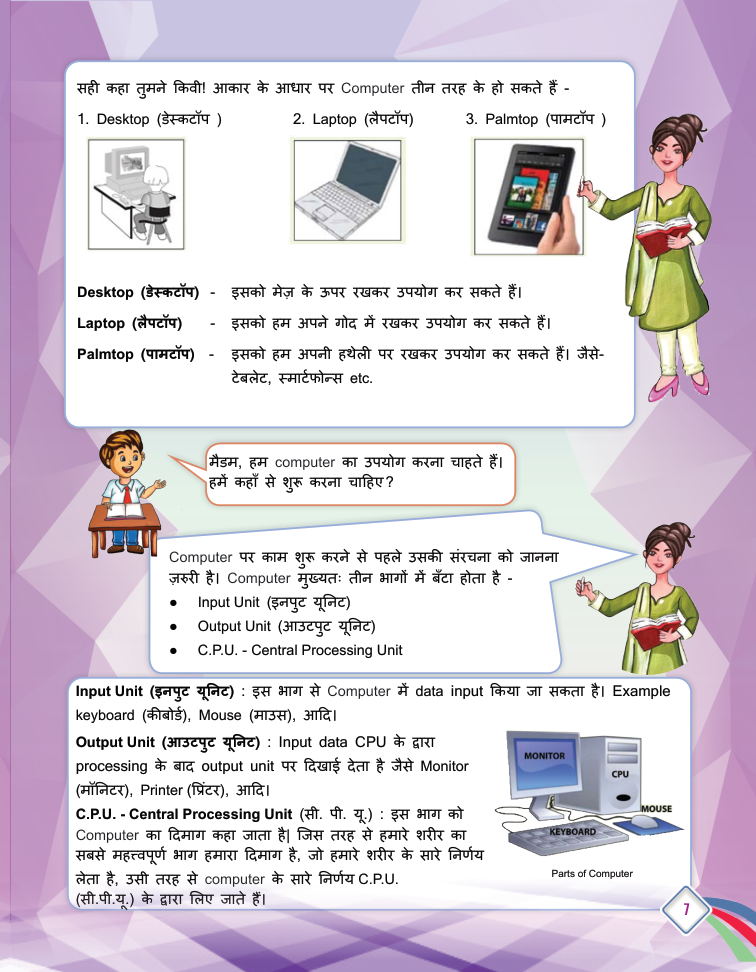
Introduction to ICT Environment - page from the textbook
Back to Class
1

Introduction to ICT Environment

5-24 • Source: SCERT Delhi ICT Textbook, Revised Edition 2026 4 Fun Facts
12 min read

The field guide

Understand it. Try it. Remember it.

ICT is the toolkit people use to create, store and exchange information. In this lesson, follow a simple idea from a person's input through a computer system to a useful result, then learn how to use shared technology thoughtfully.

Textbook reference: pages 5-24

01
Human input
Computer tools
03
Useful result
Concept mapFollow the pathIntroduction to ICT Environment: Human input, Computer tools, Useful result

In this lesson

01

What is ICT?

Definition

Definition: ICT stands for Information and Communication Technology. It includes all technologies used to handle information and communicate.

Examples

  • Computers and smartphones.
  • Internet, radio and television.
  • Satellites and communication devices.
02

Computer System Components

Definition

Definition: A computer system consists of hardware and software.

Hardware (physical parts)

  • CPU - the brain that processes data.
  • Monitor, keyboard, mouse, printer, storage devices.

Software (programs)

  • Operating systems (e.g. Windows).
  • Application programs (e.g. word processor, games).
03

Types of Computers by Size

  1. 1

    Desktop: Kept on a table and used.

  2. 2

    Laptop: Kept on the lap and used.

  3. 3

    Palmtop: Small enough to fit in the palm.

04

Input and Output Devices

Input devices - enter data into the computer

  • Keyboard, mouse, scanner, microphone.

Output devices - display results to the user

  • Monitor, printer, speakers, projector.
05

Files and Folders

  • A folder is used to save and organise files.
  • A new folder appears as 'New Folder' - rename it as you like (e.g. ICT).
  • Open a folder by double-clicking it with the left mouse button.
  • Install software by clicking Install, then Finish after installation.
  • GCompris is educational software with fun learning activities.
06

Computer Etiquette

  • Wash hands before use; keep food and drinks away.
  • Sit with proper posture and take regular breaks.
  • Handle equipment gently; don't press keys hard.
  • Never share passwords; report cyberbullying.

Your turn

Try a quick challenge

Choose one task you did today. Name the information, the device that handled it and the result you wanted.

Quick Revision

  • ICT: technologies to handle information and communicate.
  • Hardware: physical parts of a computer.
  • Software: computer programs.
  • Input device: enters data (keyboard, mouse).
  • Output device: shows results (monitor, printer).
  • Folder: organises and stores files.

Conclusion: A computer is a helpful machine when we understand its parts and use it with care and good manners.

Keep in mind

Quick recap

  • ICT supports creating, storing and communicating information.
  • Hardware is the equipment; software gives it instructions.
  • Safe, respectful habits matter whenever devices are shared.

Key Terms

ICT

सूचना और संचार प्रौद्योगिकी

Hardware

कंप्यूटर का भौतिक भाग

Software

कंप्यूटर प्रोग्राम

Input Device

इनपुट उपकरण

Output Device

आउटपुट उपकरण